
Integrate Business Apps for Seamless Workflows | Boost Operational Efficiency
In today’s interconnected business landscape, the ability to make disparate software applications communicate and share data is no longer a luxury but a fundamental necessity. Business software integration refers to the process of connecting different software systems, applications, or modules to work together as a cohesive unit. This integration aims to streamline operations, improve data accuracy, enhance decision-making, and ultimately drive greater efficiency and productivity across an organization. As digital transformation continues to accelerate, understanding and implementing effective integration strategies has become a cornerstone for businesses striving for agility and competitive advantage in 2026.
Core Concepts, Definitions, and Historical Context
What is Business Software Integration?
At its heart, business software integration is about creating a unified IT environment where various applications, whether on-premise or cloud-based, can exchange information and trigger actions without manual intervention. This connectivity eliminates data silos, automates workflows, and provides a holistic view of business operations. It can range from simple data synchronization between two applications to complex enterprise system integration involving dozens of platforms across different departments.
Evolution of Integration
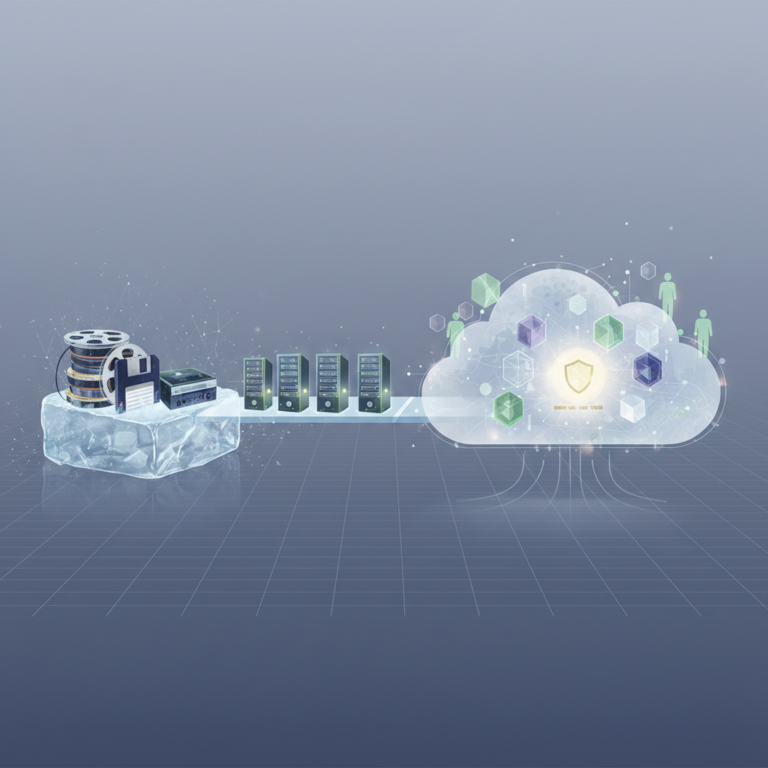
The concept of integrating business systems is not new. Historically, integration often involved custom-coded point-to-point connections, which were costly, time-consuming to develop, and difficult to maintain. The rise of Enterprise Application Integration (EAI) in the late 1990s introduced more structured approaches, using middleware to facilitate communication. The early 2000s saw the emergence of Service-Oriented Architecture (SOA), promoting reusable services for integration. With the proliferation of cloud computing and Software as a Service (SaaS) in the 2010s, integration shifted towards API-driven connections and integration platform as a service (iPaaS) solutions, making it more accessible and scalable. By 2026, AI-powered integration tools and hyperautomation are further refining how businesses connect their digital ecosystems, anticipating and even self-healing integration issues.
Key Integration Types
- Data Integration: Focuses on consolidating data from various sources into a unified view, often for analytics or reporting. This can involve ETL (Extract, Transform, Load) processes.
- Application Integration: Connects different software applications to enable them to share functionalities and data in real-time or near real-time.
- Process Integration: Automates business processes that span multiple applications, ensuring seamless workflow execution across departments.
- User Interface Integration: A less common but sometimes necessary approach where different application UIs are combined into a single portal, often used when backend integration is too complex or unavailable.
Practical Methodologies, Frameworks, and Step-by-Step Guidance
Common Integration Methodologies
Several approaches define how integrations are built and managed:
- Point-to-Point Integration: Direct connections between two applications. While simple for a few connections, it becomes unmanageable and fragile as the number of applications grows (N x N connections).
- Hub-and-Spoke Integration: Applications connect to a central hub (middleware or an integration platform) rather than directly to each other, simplifying management and scalability.
- Enterprise Service Bus (ESB): An architectural pattern that acts as a central communication bus for connecting applications, often employing standardized protocols and message formats. It provides routing, transformation, and protocol conversion capabilities.
- Integration Platform as a Service (iPaaS): Cloud-based platforms that provide tools and services for developing, executing, and governing integration flows between cloud and on-premise applications. iPaaS has become the dominant methodology for modern organizations due to its scalability, flexibility, and reduced infrastructure overhead.
Step-by-Step Integration Guidance
- Define Objectives and Scope: Clearly articulate what business problems the integration will solve, which applications are involved, and the desired outcomes. What data needs to flow, and for what purpose?
- Analyze Current Systems: Understand the existing architecture, data models, APIs, and potential limitations of each application. Identify data formats, authentication methods, and performance requirements.
- Choose an Integration Strategy and Platform: Based on complexity, budget, scalability needs, and technical expertise, select the most appropriate methodology (e.g., iPaaS, ESB) and a specific platform. Consider factors like pre-built connectors, data mapping tools, monitoring capabilities, and security features.
- Design the Integration Flow: Map out the data transformations, routing logic, error handling, and security protocols. Create detailed documentation of the integration architecture.
- Develop and Implement: Build the integration using the chosen platform’s tools. This involves configuring connectors, defining data mappings, and implementing business logic.
- Test Thoroughly: Conduct rigorous testing, including unit testing, integration testing, performance testing, and user acceptance testing, to ensure data accuracy, reliability, and security.
- Deploy and Monitor: Go live with the integration. Implement robust monitoring and alerting systems to track performance, identify issues, and ensure continuous operation.
- Maintain and Optimize: Regularly review and update integrations as applications evolve or business requirements change. Optimize for performance and cost.
Common Questions and Edge Cases
What if an application doesn’t have an API?
When direct API integration isn’t possible, alternative methods include:
How does AI impact business software integration?
By 2026, AI is playing a significant role in integration through:
What are the biggest challenges in software integration?
Common challenges include:
- Data Mapping and Transformation: Reconciling different data formats and schemas between systems can be complex.
- Security: Ensuring secure data transfer and access control, especially when dealing with sensitive information.
- Scalability and Performance: Designing integrations that can handle increasing data volumes and transaction rates without degradation.
- Error Handling and Monitoring: Implementing robust mechanisms to detect, report, and resolve integration failures.
- Legacy Systems: Integrating older systems that may lack modern APIs or documentation can be particularly difficult.
- Vendor Lock-in: Dependence on specific integration platforms or tools that may limit future flexibility.
- Intelligent Data Mapping: AI can suggest optimal data mappings and transformations based on patterns and historical data, significantly reducing manual effort.
- Predictive Maintenance: AI algorithms can analyze integration logs to predict potential failures before they occur, enabling proactive intervention.
- Automated Integration Design: AI-powered tools can assist in designing integration flows by understanding business requirements and suggesting optimal connection points.
- Self-Healing Integrations: AI can automatically identify and resolve minor integration issues, reducing downtime and operational overhead.
- Enhanced Security: AI can detect anomalies in data transfer patterns, signaling potential security breaches.
- Database-Level Integration: Directly accessing and manipulating the application’s database. This is often risky and not recommended due to potential data corruption and bypassing application logic.
- File-Based Integration: Exporting data to flat files (CSV, XML, JSON) and importing them into another system. This is common for batch processing but lacks real-time capabilities.
- UI Scraping/Robotic Process Automation (RPA): Using software robots to interact with the application’s user interface as a human would, extracting or inputting data. This is a last resort for legacy systems without any other integration options.
- Custom Connectors: Developing proprietary connectors if the application allows for some form of programmatic access, even if not a standard API.
Related Concepts
App Connectivity Solutions
This is a broad term encompassing all technologies and methods used to enable applications to communicate. It includes APIs (Application Programming Interfaces), which are sets of rules and protocols for building and interacting with software applications. Modern app connectivity heavily relies on RESTful APIs and webhook technology for efficient, real-time data exchange. These solutions are the foundational building blocks for any integration effort.
Workflow Automation Tools
These tools, often overlapping with iPaaS, focus specifically on automating business processes that span multiple applications. They allow users to design and execute complex sequences of tasks, triggers, and actions. For example, when a new lead is added to a CRM (Customer Relationship Management) system, an automation tool can automatically create a task in a project management system, send a notification to a sales representative via a communication app, and update a spreadsheet for reporting. These tools often heavily leverage existing integrations to create end-to-end automated workflows.
Enterprise System Integration (ESI)
ESI refers to the comprehensive strategy and implementation of connecting all major enterprise systems, such as ERP (Enterprise Resource Planning), CRM, SCM (Supply Chain Management), HRIS (Human Resources Information System), and financial systems. The goal is to create a unified, real-time view of the entire organization, eliminating silos and enabling cross-functional processes. ESI projects are typically large-scale, strategic initiatives that require significant planning and resources, often utilizing ESBs or robust iPaaS platforms.
Data Synchronization Apps
These applications are specialized for ensuring consistency of data across multiple systems. They monitor changes in one system and replicate those changes to another, either in real-time or on a scheduled basis. Common use cases include synchronizing customer data between a CRM and an email marketing platform, or product inventory between an e-commerce store and a warehouse management system. Data synchronization is a critical component of many broader integration efforts, ensuring that all connected systems operate with the most current and accurate information.
FAQ
Q: Is it better to build custom integrations or use off-the-shelf solutions?
A: Off-the-shelf solutions (like iPaaS platforms) are generally preferred for their speed of deployment, lower maintenance costs, scalability, and access to pre-built connectors. Custom integrations are typically reserved for highly unique requirements, legacy systems with no modern APIs, or when a specific competitive advantage can be gained from bespoke development, but they come with higher development and ongoing maintenance costs.
Q: How do I choose the right integration platform for my business?
A: Consider your specific needs, such as the number and types of applications to integrate, data volume, real-time requirements, budget, internal technical expertise, and scalability needs. Evaluate platforms based on their pre-built connectors, data mapping capabilities, security features, monitoring tools, ease of use, and support for your specific use cases (e.g., API integration, ETL, RPA).
Q: What’s the difference between integration and automation?
A: Integration refers to connecting different systems to enable them to share data and functionality. Automation, on the other hand, is about using technology to perform tasks or processes automatically, often leveraging these integrations. You integrate systems to enable automation; automation uses integrated systems to execute workflows without manual intervention.